Zero-trust connectivity
Authenticate devices and Edge nodes with mTLS. Access follows identity instead of network location or open ports.
Now supporting WireGuard networking
YAT combines identity-aware service tunnels with WireGuard networking. Expose local applications, connect devices into an encrypted virtual LAN, and keep access under your control—without opening inbound ports.
Platform capabilities
Authenticate devices and Edge nodes with mTLS. Access follows identity instead of network location or open ports.
Publish HTTP, TCP, and desktop services, or build WireGuard networks for multi-device connectivity.
Publish HTTP, TCP, and desktop services, then extend the client with custom applications.
Install a self-hosted Edge on Linux with system scripts, daemon mode, and health visibility.
Bring your own domain, map CNAME records, and terminate traffic through your controlled Edge.
WireGuard assigns subnet IPs, detects LAN paths, and selects direct or relay routes automatically.
Two networking models
YAT separates exposing a service from building a network, so you can choose the right model without managing another VPN tool.
Service access
Point-to-point tunnels turn a local service into a controlled remote endpoint for selected visitors.
Device interconnection
Create an encrypted virtual LAN where every approved device receives an address in the same subnet.
How YAT works
No inbound firewall rules or infrastructure rewrites. Start a local service, connect through YAT, and publish it through an authenticated Edge.
Install the YAT client and authenticate your device with a secure account.
Subscribe to a managed relay or deploy your own private Edge on a public server.
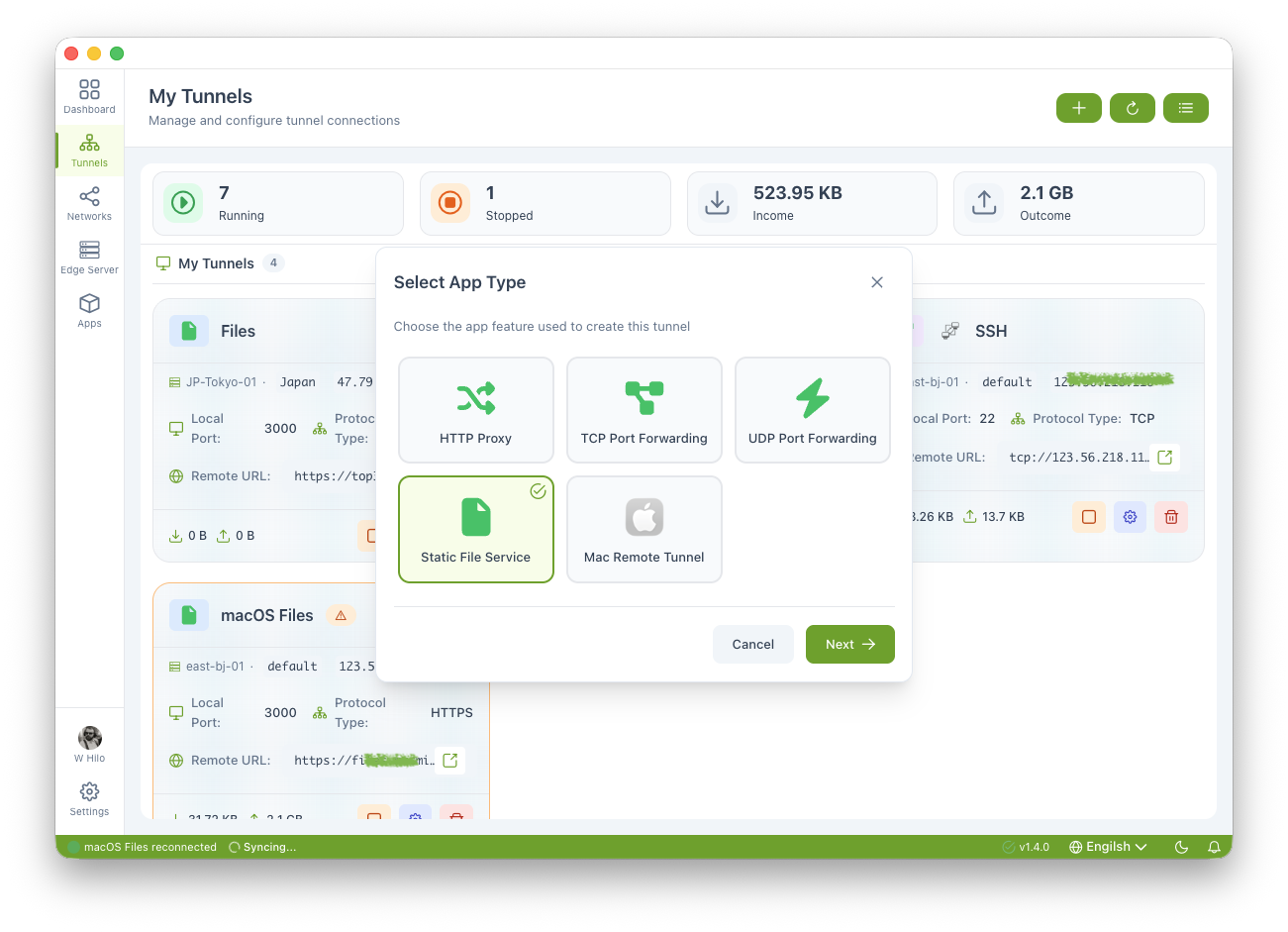
Select the local service, protocol, and Edge. YAT generates a ready-to-share remote address.
Start the tunnel, monitor traffic, share the endpoint, or keep it restricted to your identities.
$ python3 -m http.server 8080

# In YAT
# Tunnels → Create Tunnel → HTTP Proxy
# Local port: 8080 · Edge: production

$ curl https://api.example.myroxy.dev
200 OK · mTLS verified
Use cases
Reach NAS dashboards, media tools, and LAN applications without exposing your network.
Give teammates or reviewers controlled access to local APIs and preview environments.
Extend secure ARD and VNC access to macOS and Windows machines.
Run multiplayer sessions for your group without opening public firewall ports.
Download YAT, connect an Edge, and create a zero-trust endpoint or WireGuard virtual LAN in minutes.